



Key Takeaways
- Best overall for small businesses and online stores: Tidio. The widget, an AI agent, and Shopify order tools share one app, with a free plan to start.
- Best for a dedicated chat team: LiveChat, from $19 per person a month, billed annually.
- Best free chat widget: tawk.to. Unlimited agents, with the “Powered by” badge removable for $29 a month.
- Seven of the 10 widgets have a free plan: Tidio, tawk.to, Crisp, HubSpot, Zoho SalesIQ, Freshchat, and Smartsupp.
- Removing the vendor badge is rarely free. It costs from $7 a seat on HubSpot to a Plus or Enterprise plan on Crisp, LiveChat, and Zendesk.
Chat widgets look alike until you try to change one. Some lock colors and your logo behind a higher plan, and most keep the vendor’s “Powered by” badge until you pay to remove it. We compared 17 chat widgets on their pricing pages, help centers, and G2 reviews, and kept the 10 that suit a small or mid-sized business or an online store. Each entry covers what the widget lets you change, what it costs, and where it stops. Tidio is one of the ten, with the same template as the rest.
What Is a Chat Widget?
A chat widget, also called a chat box or live chat widget, is the small window on your website where visitors message your team or an AI agent in real time. It usually sits in a bottom corner as a round button and opens into a conversation when clicked. You add it with one line of code or a plugin, and your agents answer from a web, desktop, or mobile app.
What answers varies: a person, a scripted bot, or an AI agent that replies from your help content and hands over to a person when it gets stuck.
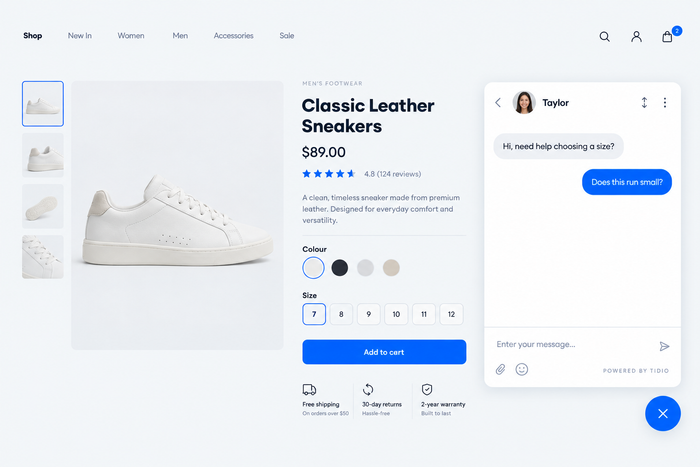
The Best Chat Widgets at a Glance
| Widget | Best for | Starting price (paid) | Free plan / trial | G2 rating |
|---|---|---|---|---|
| Tidio | SMBs and online stores, especially Shopify | $24.17/mo, billed annually | Free plan · 7-day trial | 4.6 (1,962) |
| LiveChat | Dedicated chat teams that want a refined widget | $19/person/mo, billed annually | No free plan · 14-day trial | 4.5 (813) |
| tawk.to | A free widget with unlimited agents | No paid plan; branding removal $29/mo | Free plan | 4.5 (203) |
| Crisp | Small teams that want flat workspace pricing | $45/mo per workspace | Free plan (2 seats) · 14-day trial | 4.5 (204) |
| HubSpot | Free chat tied to a CRM | $7/seat/mo, billed annually | Free plan (2 users) | 4.4 (3,017)* |
| Zoho SalesIQ | Visitor tracking on a tight budget | $7/operator/mo, billed annually | Free plan (3 operators) · 15-day trial | 4.4 (256) |
| Freshchat | Teams already on Freshworks | $19/agent/mo, billed annually | Free plan (10 agents) | Not checked |
| Intercom | SaaS teams that put AI first | $19/seat/mo, billed annually, plus $0.99 per Fin outcome | No free plan · 14-day trial | 4.5 (3,900+) |
| Zendesk | Large support teams across many channels | $55/agent/mo, billed annually | No free plan · 14-day trial | 4.3 (7,083) |
| Smartsupp | E-commerce stores that want a simple widget | $17/mo, billed annually | Free plan (25 conversations) · 14-day trial | 4.7 (1,077) |
How We Chose These Chat Widgets
We started with 17 chat widgets from today’s top search results, AI assistants’ answers, and the previous edition of this article. We cut help desks where chat is an add-on (LiveAgent, Freshdesk, Zoho Desk) and tools whose widget pricing we could not verify this month (PureChat, Olark, Featurebase, Chatwoot, JivoChat). We scored the remaining 10 on six criteria:
- Look and placement: colors, launcher, position, greeting, and languages you can change without code.
- Branding: whether the “Powered by” badge comes off, and on which plan.
- Install: a plugin for your platform, or one snippet.
- AI and handoff: whether the widget has an AI agent and how it bills.
- Triggers: proactive messages by page, time, or behavior.
- Price and reviews: free-plan limits, billing basis, and G2 rating.
The list is ordered by fit for small and mid-sized businesses and online stores, not by rating, which is why Tidio is first. We did not test page-speed impact or measure AI resolution rates; vendor rates are quoted as claims.
The 10 Best Chat Widgets for Websites in 2026
Tidio
Best for: small businesses and online stores that want a chat widget with AI in one app
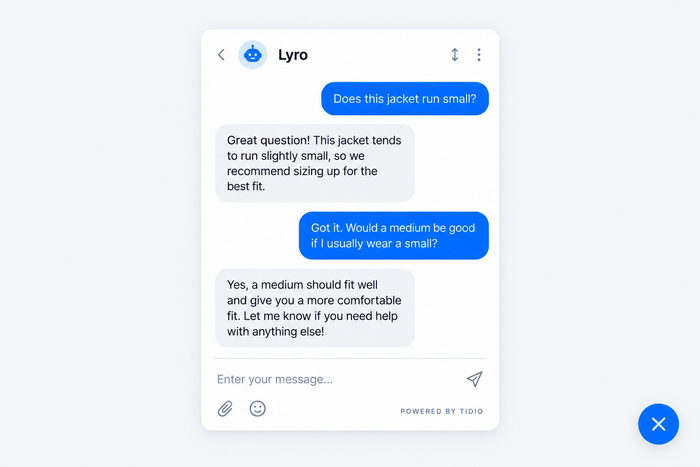
Tidio bundles a chat widget, a shared inbox for chat, email, and social messages, an AI agent called Lyro, and no-code automations called Flows in one app. On Shopify, agents see a shopper’s cart and order history beside the chat and can cancel an order, refund it, or change a shipping address without leaving the inbox. Tidio says Lyro can solve up to 75% of customer problems automatically, and it hands the rest to your team with the conversation attached.
The widget: pick colors, a welcome image or a collage of agent photos, a greeting, and up to five conversation starters. Place it bottom-left or bottom-right, set separately for desktop and mobile, as a round corner button or a sidebar tab. Show or hide it by page, device, or country. Seven widget languages come pre-translated, and Lyro replies in 48 languages. You install it from a Shopify, WordPress, WooCommerce, Wix, or Squarespace plugin, or with one line of JavaScript.
Tidio suits:
- Shopify stores that want a shopper’s cart and order history next to the chat.
- Small businesses that want AI and automation to cover a thin team.
- High-volume sites where most chats repeat the same questions.
- Teams on several channels: website chat, email, Messenger, Instagram, and WhatsApp in one inbox.
Skip Tidio if you need enterprise telephony or a full call-center suite; Zendesk covers that better.
Key features:
- Lyro AI agent: answers from your FAQ and website content and checks order status on Shopify.
- Flows: proactive messages that greet visitors, recover carts, and collect leads when nobody is online.
- One inbox for website chat, email, WhatsApp, Instagram, and Messenger.
Pros
- Free plan with 10 seats and 50 billable conversations a month, enough to test on a live site.
- Basic widget customization on every plan, including Free.
- Shopify actions such as refunds and order edits work straight from the chat.
- AI, human chat, and tickets share one inbox, so handoffs keep their context.
Cons
- Branding removal is a $16.67-a-month add-on on Growth and is included on Plus and Premium, so the “Powered by Tidio” line stays on Free and Starter.
- Uploading your own logo and adding extra widget language packs come with Plus, and moving the widget up the page takes one line of JavaScript.
- Pricing grows with usage: billable conversations, Lyro, and Flows are priced separately, so you only pay for what you use, but there are a few quotas to keep an eye on as you grow.
Pricing: Tidio’s pricing page lists five plans plus two add-ons (billed annually; monthly in brackets):
- Free: $0, 50 billable conversations a month, 10 seats, 50 Lyro conversations once.
- Starter: $24.17 a month ($29), 100 conversations.
- Growth: from $49.17 a month ($59), 250 to 2,000 conversations, native Shopify actions.
- Plus: from $300 a month plus usage, with custom branding and a logo upload.
- Lyro AI agent: from $32.50 a month ($39) for 50 AI conversations. Flows: from $24.17 a month ($29).
- 7-day free trial.
Rating: G2 4.6/5 (1,962 reviews)
Add a Tidio chat widget to your site and add Lyro when you need it
LiveChat
Best for: dedicated chat teams that want a fast, flexible widget
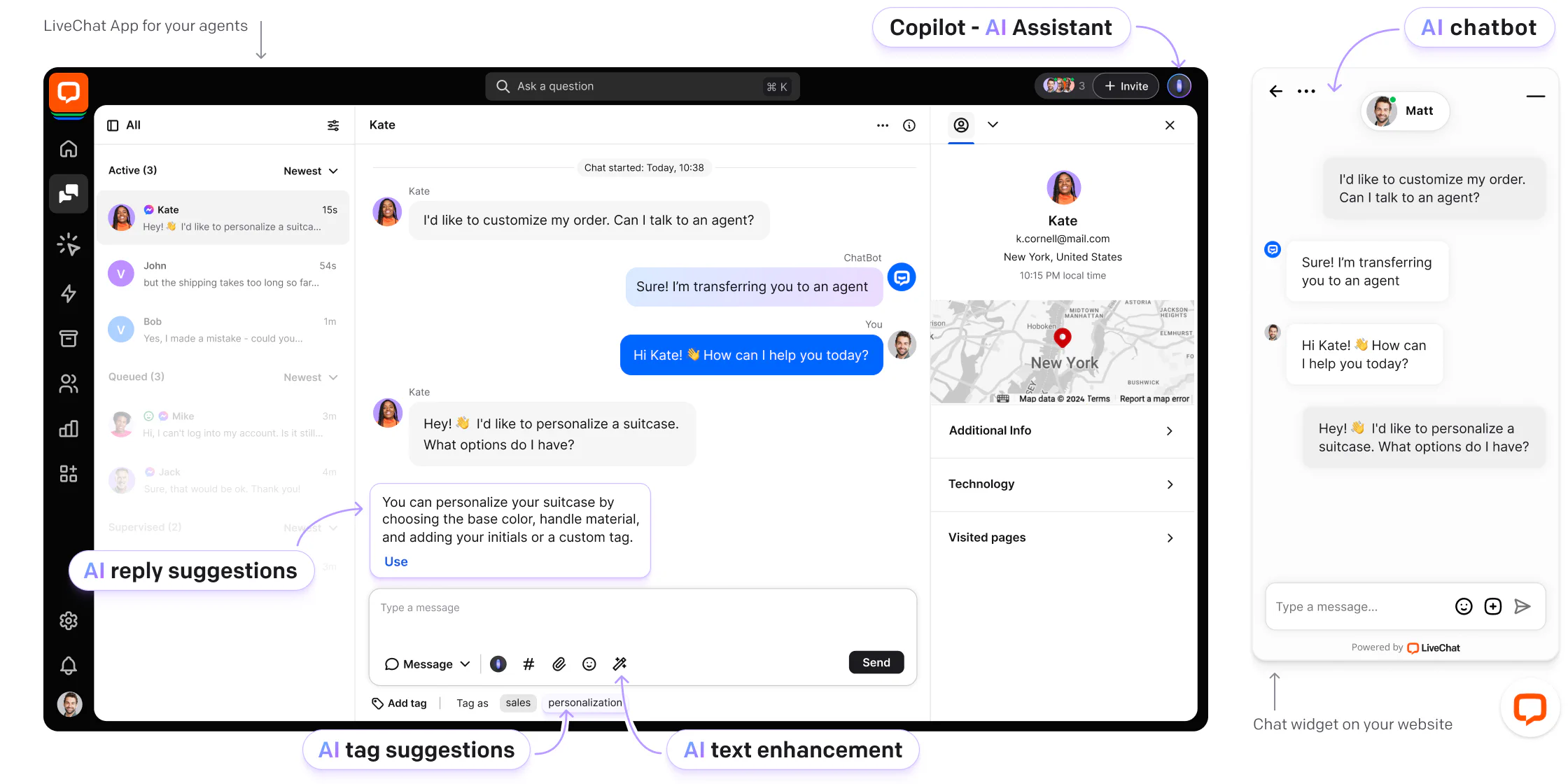
LiveChat is the chat-first option here, and its widget editor is the most hands-on: you restyle the widget live on your own site.
The widget: bubble or bar layout, hex colors, dark mode, right-to-left, left or right placement, and 48 languages, all without CSS. Starter gets basic customization; a custom logo and language selection start on Team. The badge comes off only on Enterprise. Install with a snippet or a WordPress, Shopify, Wix, Squarespace, Webflow, or Tag Manager guide.
Pros
- Live editor and dark mode, with no code.
- Wide platform coverage, including Google Tag Manager.
Cons
- No free plan, and the badge comes off only on Enterprise.
- Starter allows one user and keeps 60 days of history.
Pricing (per person, billed annually; monthly in brackets; from LiveChat’s pricing page): Starter $19 ($25) · Team $49 ($59) · Business $79 ($89) · Enterprise on request. 14-day free trial, no card.
Rating: G2 4.5/5 (813 reviews)
Read more: LiveChat review · LiveChat alternatives
Tawk.to
Best for: a free widget with unlimited agents
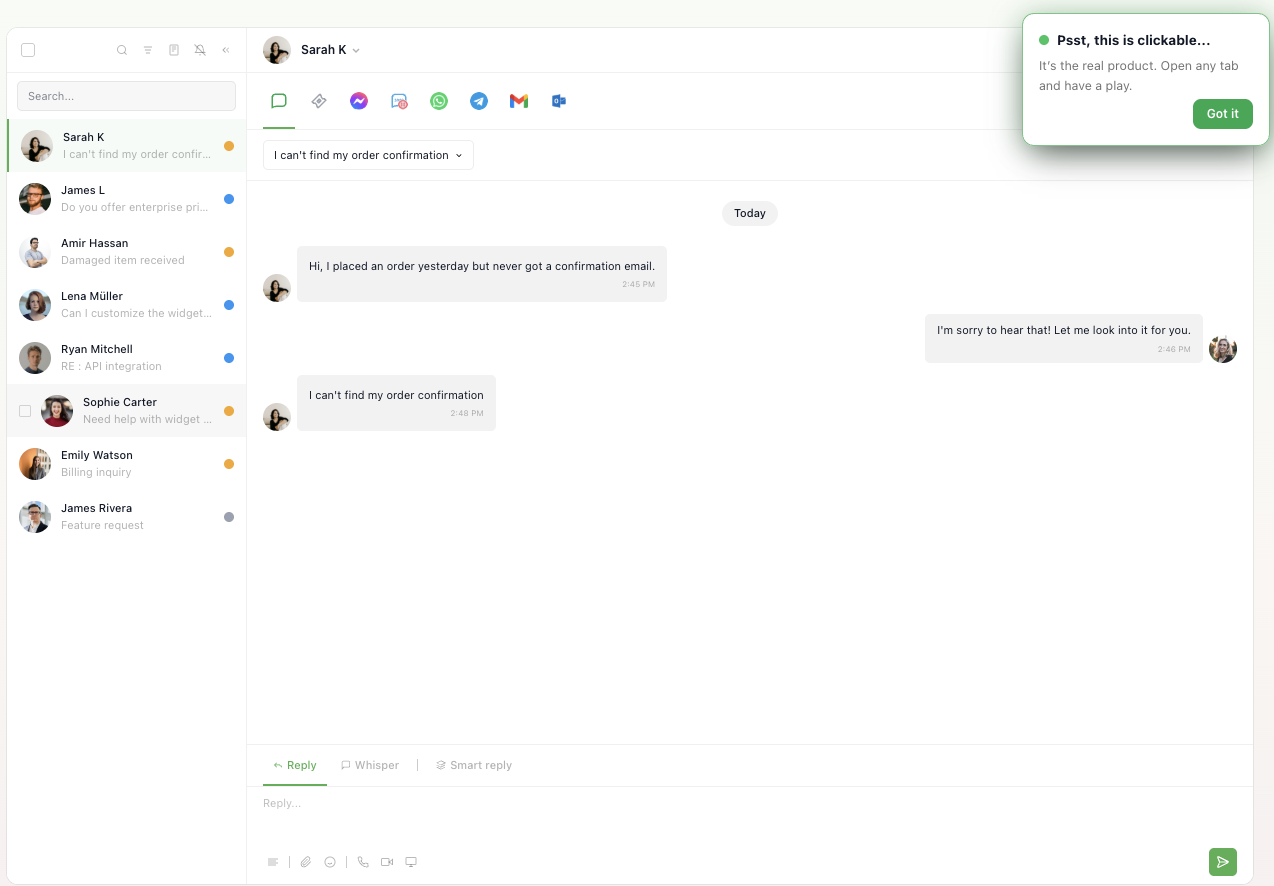
tawk.to gives you the widget, tickets, and a knowledge base free, with no cap on team members. The price of free is the badge and basic automation.
The widget: hex colors for the header and each side’s messages, a circular or rectangular launcher, and separate greetings for online, away, and offline. Six position presets cover the corners and sides; pixel-exact placement needs a JavaScript call. Triggers by page, behavior, or referrer are free. Install with a snippet or a one-click installer for Shopify, WordPress, and Wix.
Pros
- Free forever, with no limit on agents.
- Customization is not locked behind a plan.
Cons
- The “Powered by tawk.to” badge stays unless you pay $29 a month.
- AI answering is free only “for limited volume”.
Pricing (from tawk.to’s pricing page): no paid plans, only add-ons. Whitelabel $29 a month, AI Assist from $29 a month, hired agents from $1 an hour.
Rating: G2 4.5/5 (203 reviews)
Read more: tawk.to review · tawk.to alternatives
Crisp
Best for: small teams that want flat pricing per workspace
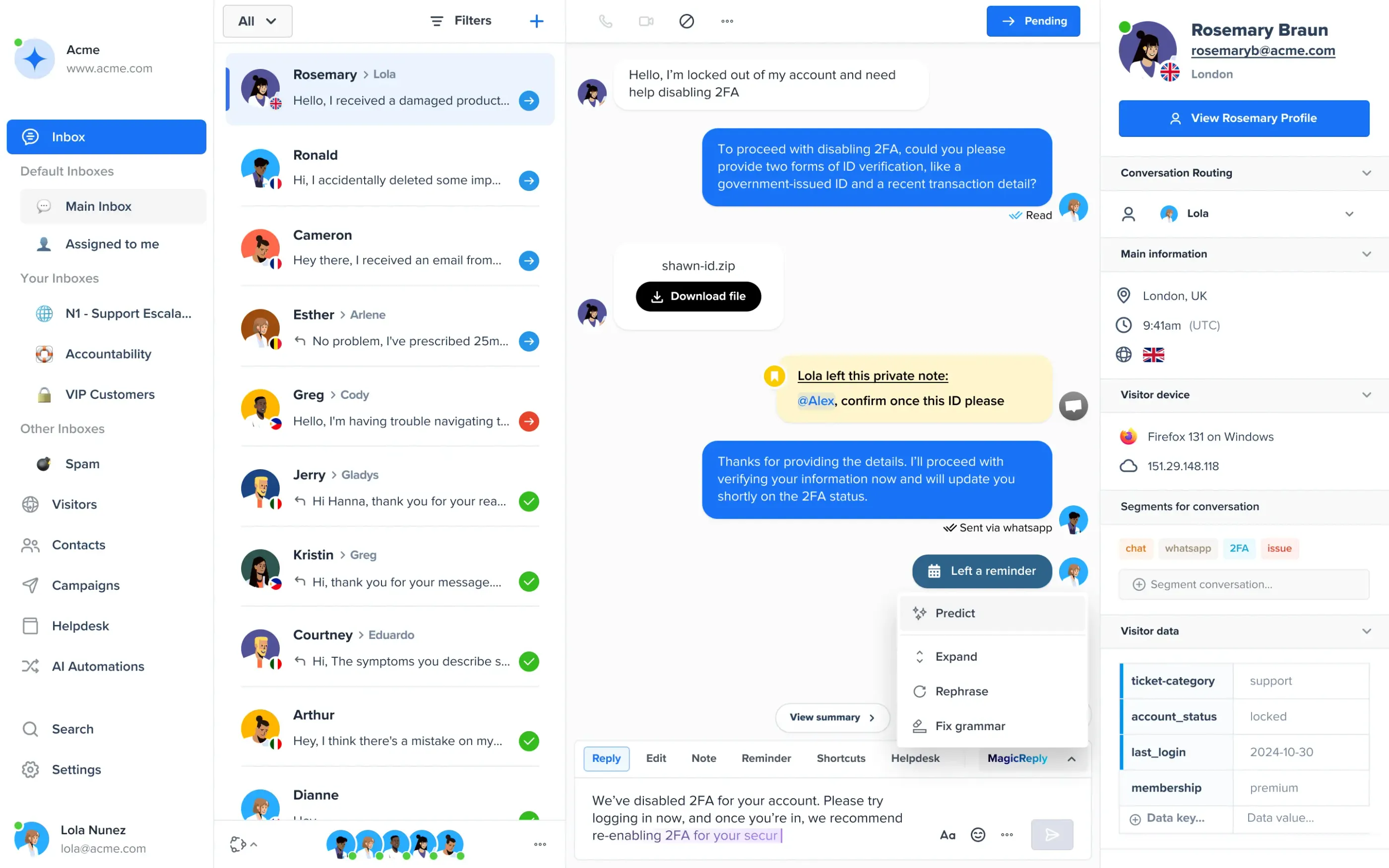
Crisp bundles the widget, a shared inbox, a knowledge base, and an AI agent, priced per workspace instead of per agent. Widget styling is limited on Free, which gets predefined color themes only, and real customization starts on Mini.
The widget: on a paid plan you can set colors, texts, a welcome message, per-language text, an availability tooltip, mobile visibility, and a left or right position. Proactive messages and chat triggers start on Mini. The “We run on Crisp” line comes off only on Plus. Install with a snippet, mobile SDKs, or plugins for Shopify, WordPress, WooCommerce, Squarespace, Wix, and Webflow.
Pros
- Flat workspace pricing is easy to budget for small teams.
- Plugins for most site builders, including Webflow.
Cons
- Free has no widget customization, proactive messages, or AI.
- White labeling needs the $295 Plus plan.
Pricing (per workspace, per month; from Crisp’s pricing page): Free, 2 seats · Mini $45 (4 seats) · Essentials $95 (10 seats) · Plus $295 (20 seats). Extra agents $10 each. 14-day free trial, no card.
Rating: G2 4.5/5 (204 reviews)
Read more: Crisp review · Tidio vs Crisp
HubSpot
Best for: free chat tied to a CRM
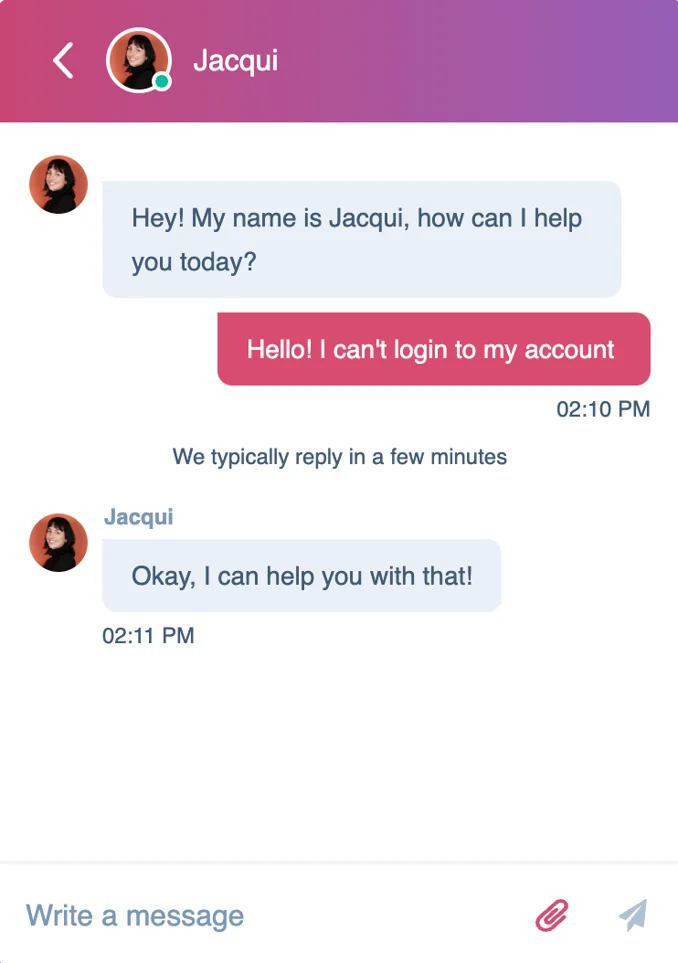
HubSpot’s widget is free for two users and plugs into its CRM, so every chat becomes a contact record. It fits teams whose marketing and sales already run on HubSpot.
The widget: accent color, font, heading, welcome message, a logo or team avatar, and left or right placement are available on every plan, with display rules by scroll depth, time on page, or device. The HubSpot badge shows on Free and goes from Starter ($7 a seat a month, billed annually). Install by pasting the HubSpot tracking code before the closing body tag, or with the WordPress plugin.
Pros
- Free for two users, with customization on every plan.
- Chats flow into HubSpot’s CRM and email tools.
Cons
- The widget carries HubSpot branding until Starter.
- It needs the tracking code on every page, and the AI customer agent starts on Professional.
Pricing (per seat per month; from HubSpot’s pricing page): Free for up to 2 users · Starter $7, billed annually · Professional $90 · Enterprise $150. Professional and Enterprise add a one-time onboarding fee.
Rating: G2 4.4/5 (3,017 reviews, Service Hub)
Read more: HubSpot alternatives
Zoho SalesIQ
Best for: visitor tracking on a tight budget
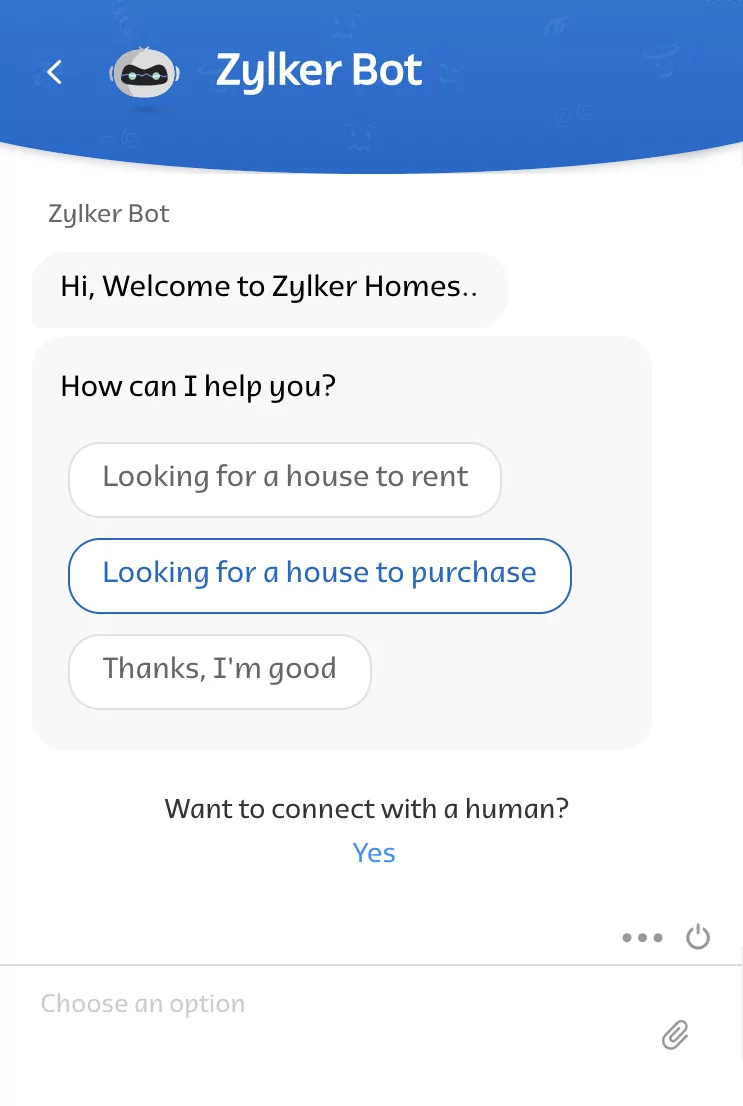
Zoho SalesIQ combines a widget with visitor tracking and a codeless chatbot builder, with paid plans from $7 per operator.
The widget: set the color, an online and offline sticker, messages, the operator photo, position, fonts, and whether to hide it on mobile or when offline. Zoho does not say which plan unlocks each option or whether its badge can be removed, so confirm both in the trial. Install with a snippet, a WordPress plugin, or guides for Shopify, Wix, and Magento.
Pros
- Paid plans start at $7 per operator, billed annually.
- Free plan includes 3 operators and visitor insights.
Cons
- Free is capped at 100 operator chat sessions a month.
- Widget options by plan and badge removal are not stated on the pricing page.
Pricing (per operator per month, billed annually; monthly in brackets; from Zoho’s pricing page): Free · Basic $7 ($10) · Professional $12.75 ($17) · Enterprise $20 ($25). 15-day free trial, no card.
Rating: G2 4.4/5 (256 reviews)
Freshchat
Best for: teams already on Freshworks products
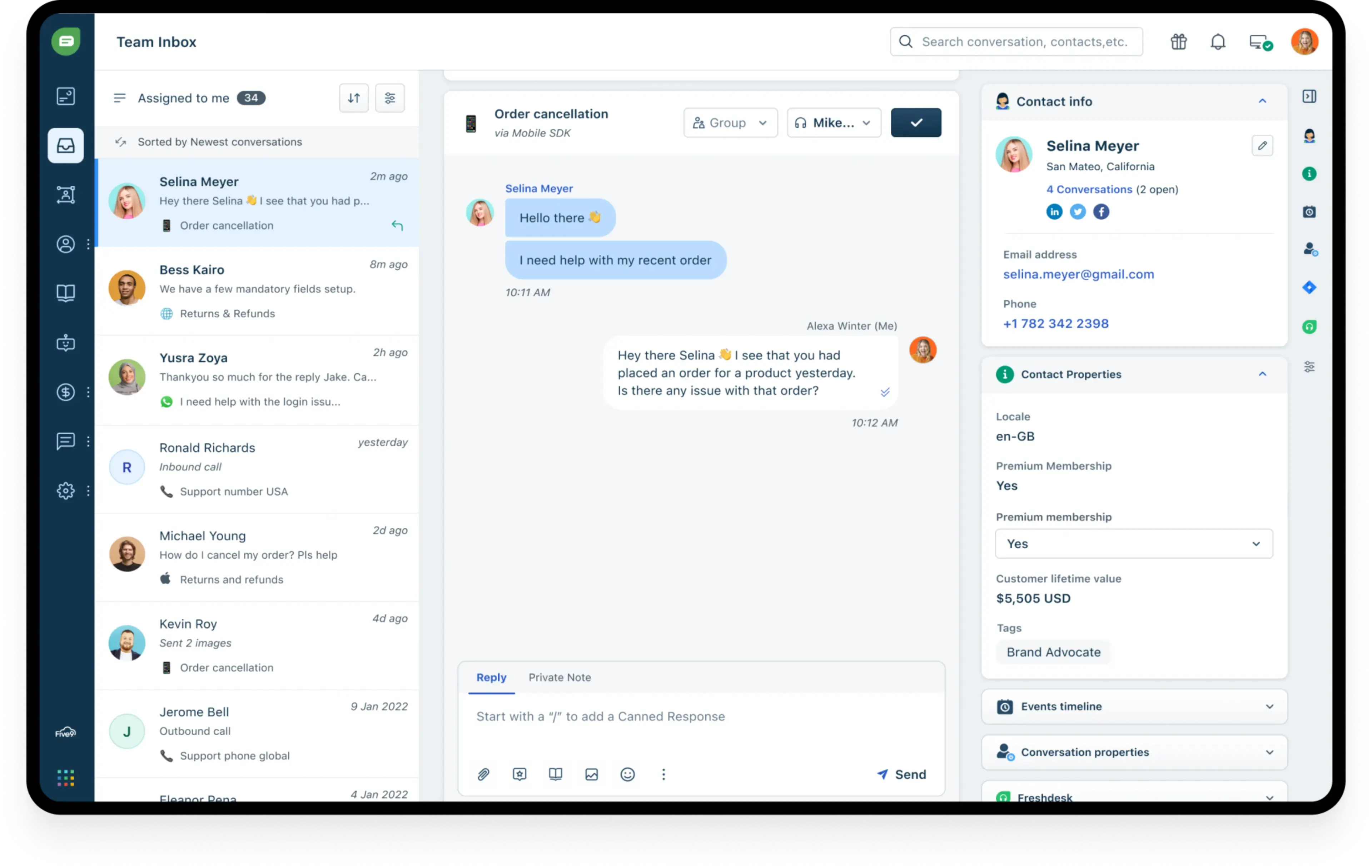
Freshchat is the chat product from Freshworks. Its free plan covers up to 10 agents.
The widget: logo, welcome message, brand colors, header style, position, size, and visibility by business hours, plus custom CSS. Freshworks’ help article lists these on Free too, though it dates from 2024. A switch shows or hides Freshworks branding; the plan is not stated. Install with an embed code, or the WordPress, Squarespace, and Tag Manager guides.
Pros
- Free for up to 10 agents.
- Custom CSS and visibility rules for the widget.
Cons
- Facebook, Instagram, SMS, WhatsApp, and AI need Growth or higher.
- Campaign contacts cost $100 a month per 5,000 contacts.
Pricing (per agent per month, billed annually; from Freshworks’ pricing page): Free for up to 10 agents · Growth $19 · Pro $49 · Enterprise $79. Freddy AI Agent: first 500 sessions included, then $49 per 100. 14-day trial on Enterprise.
Rating: not shown. We could not confirm a G2 page for Freshchat itself, so we quote no rating.
Read more: Freshchat review
Intercom
Best for: SaaS teams that put AI first
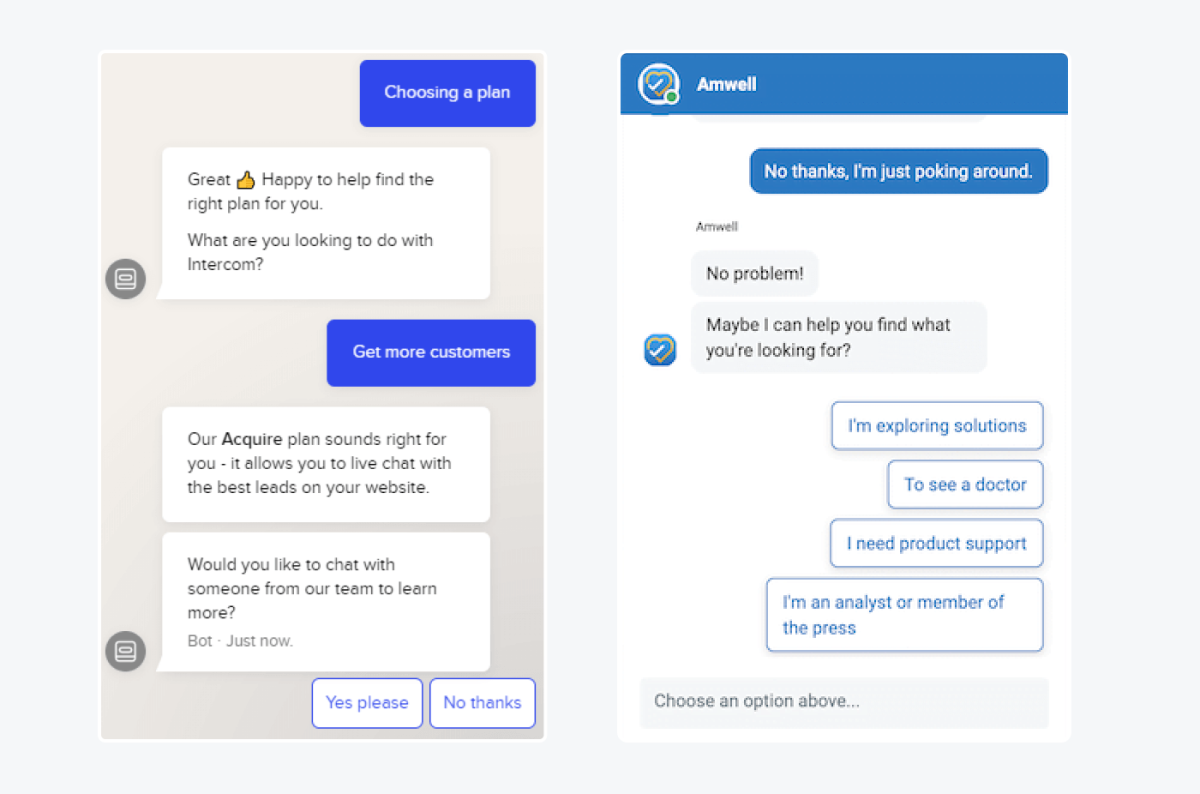
Intercom’s Messenger is the widget behind its Fin AI agent, which is included on every plan and billed per outcome. Widget styling depends on the plan: you can restyle the launcher and Home only on Advanced or Expert.
The widget: on Essential you can change the logo, colors, and start-conversation text. It supports up to 45 languages, and the launcher sits left or right. Install by snippet, React, Angular, Vue, WordPress, Tag Manager, or Shopify. Badge removal is a paid feature, but Intercom does not publish the plan.
Pros
- AI is included on every plan, with no separate subscription.
- Wide install options, including React, Angular, and Vue.
Cons
- Launcher and Home customization need Advanced ($85) or Expert ($132).
- Per-outcome AI fees plus per-seat prices make the bill hard to forecast.
Pricing (per seat per month, billed annually; from Intercom’s pricing page): Essential $19 (the same page showed $29 on September 30) · Advanced $85 · Expert $132. Fin $0.99 per outcome. No free plan; 14-day trial.
Rating: G2 4.5/5 (3,900+ reviews)
Read more: Intercom review · Tidio vs Intercom
Zendesk
Best for: large support teams across many channels
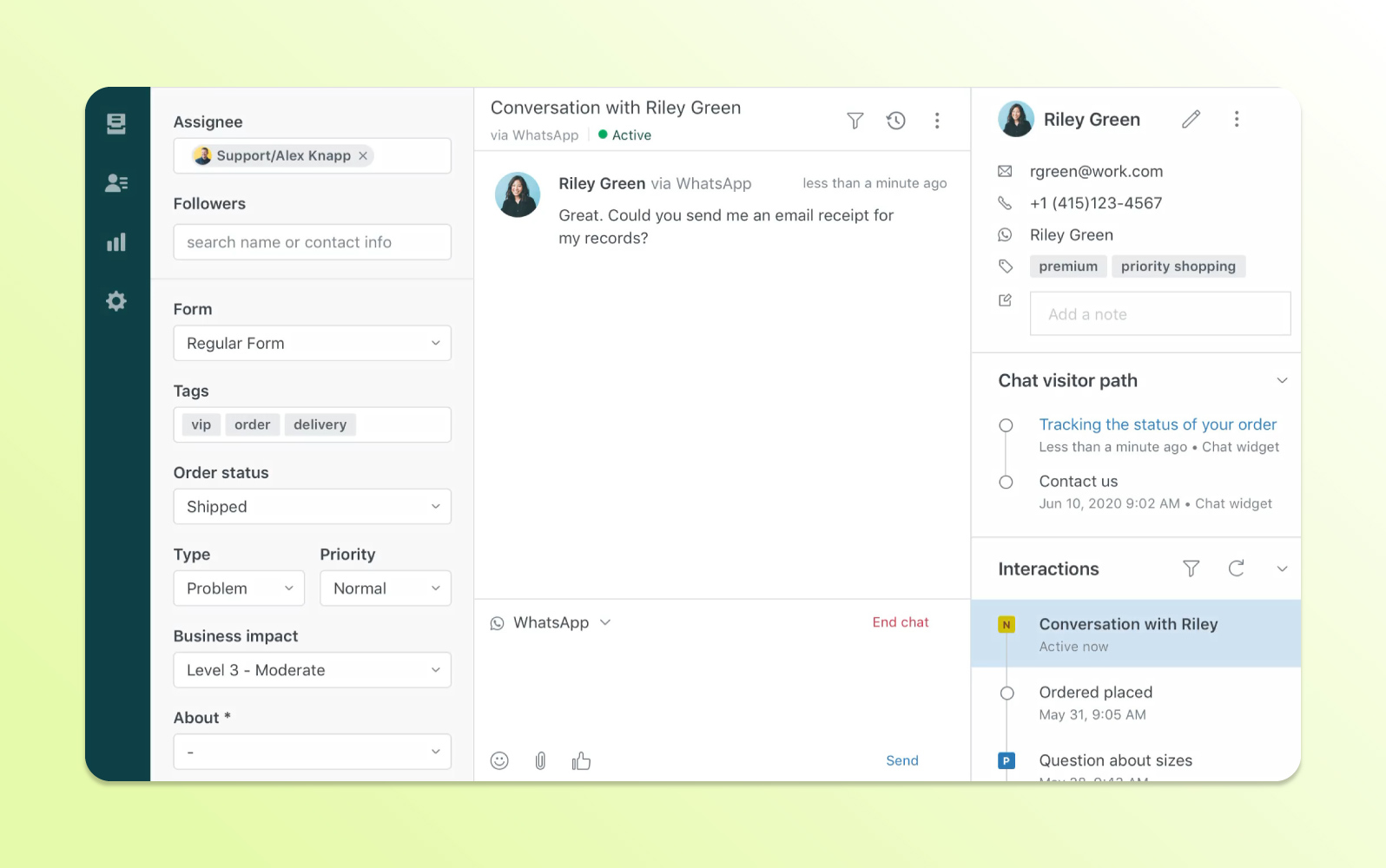
Zendesk’s messaging widget sits inside a full support suite, so it fits when chat is one channel among email, voice, and social. Its widget settings are detailed, and messaging starts on Suite Team at $55 an agent.
The widget: in Admin Center you set the position, corner radius, three colors, a logo, a title, and a launcher shaped as a square, a circle, or your own through the Web Widget API. Proactive messages come with every Suite plan, and the Zendesk logo comes off only on Suite Enterprise. Install with a snippet or embed it in your Help Center; iOS and Android SDKs exist.
Pros
- Detailed widget styling, including launcher shape and corner radius.
- Chat shares a ticket queue with email, voice, and social.
Cons
- No free plan, and the Zendesk logo stays on every plan except Suite Enterprise.
- Seats start at $55 and AI resolutions cost extra.
Pricing (per agent per month; from Zendesk’s pricing page): Suite Team $55 billed annually ($69 monthly) · Suite Professional $115 ($149) · Suite Enterprise on request. Automated resolutions $1.50 each on a commitment, $2.00 pay as you go. 14-day trial.
Rating: G2 4.3/5 (7,083 reviews)
Read more: Zendesk review · Zendesk alternatives
Smartsupp
Best for: e-commerce stores that want a simple, colorful widget

Smartsupp is a lightweight chat for online stores, with a visitor list, e-commerce plugins, and a free plan. Limits come with team size and AI: plans are priced by operator count, and its Mira AI agent is a separate add-on.
The widget: custom colors and a mobile-ready design come on every plan, including Free. Left or right position and offset are listed as customizable on paid plans only, and per-language designs and API control need Expert. Smartsupp does not publish how to remove its badge. Install with plugins for Shopify, WordPress, WooCommerce, PrestaShop, Magento, Wix, and Squarespace, or a snippet or Tag Manager.
Pros
- Free plan includes WhatsApp and Messenger.
- Custom colors and a mobile-ready chat box on every plan.
Cons
- Free is limited to 1 operator and 25 conversations a month.
- Per-language design and API control need Expert.
Pricing (per account per month, billed annually; from Smartsupp’s pricing page): Free · Solo $17 (1 operator) · Plus $25 (3 operators) · Expert $83 · Ultimate from $280. Mira $16 a month for 100 conversations. 14-day trial, no card.
Rating: G2 4.7/5 (1,077 reviews)
Read more: Smartsupp review
Which Chat Widgets Are Free?
Seven of the 10 widgets have a free plan that does not expire, and most keep the vendor’s badge on it. Each limits something different, so pick the one whose limit you would hit last.
| Widget | Free plan includes | What’s paid only |
|---|---|---|
| Tidio | 10 seats, 50 conversations a month, basic widget customization | More conversations, ongoing AI, branding removal (Growth add-on), logo upload (Plus) |
| tawk.to | Unlimited agents, triggers, full customization | Badge removal ($29/mo), AI Assist (from $29/mo) |
| Crisp | 2 seats, widget with predefined color themes | Customization, proactive messages, AI, badge removal (Plus) |
| HubSpot | 2 users, customization, chatbot builder | Badge removal (from $7/seat), if/then bot branches, AI agent |
| Zoho SalesIQ | 3 operators, 100 chat sessions a month | More sessions, proactive messages, a chatbot |
| Freshchat | Up to 10 agents, widget on web and mobile apps | Social channels, AI, more campaign contacts |
| Smartsupp | 1 operator, 25 conversations a month, custom colors | Position control, more operators, AI add-on |
Use a free plan to learn your real chat volume, then price the paid plan you need. More options are in our roundup of free live chat software.
What You Can Customize in a Chat Widget
A chat widget should look like part of your site. Most tools let you change the same things (colors, launcher, position, greeting, triggers, languages, and the vendor badge), but the plan you need varies.
| Widget | Customization on the cheapest plan | Badge comes off on | Install options |
|---|---|---|---|
| Tidio | Basic, on every plan | Growth add-on ($16.67/mo), included on Plus | Plugins, one JavaScript line |
| LiveChat | Basic on Starter, full from Team | Enterprise only | Snippet, 20+ platform guides, Tag Manager |
| tawk.to | Full, on the free product | Whitelabel add-on ($29/mo) | Snippet, one-click installers |
| Crisp | Themes on Free, full from Mini | Plus ($295/mo) | Snippet, plugins, mobile SDKs |
| HubSpot | Full, on every plan | Starter ($7/seat/mo) | Tracking code, WordPress plugin |
| Zoho SalesIQ | Not stated by plan | Not stated | Snippet, WordPress plugin, guides |
| Freshchat | Listed on Free, including custom CSS | Not stated | Embed code, three platform guides |
| Intercom | Logo and colors on Essential; launcher on Advanced | Paid; plan not published | Snippet, React, Vue, WordPress, Shopify |
| Zendesk | Style and launcher shape on Suite Team | Suite Enterprise | Snippet, Help Center embed, SDKs |
| Smartsupp | Colors on every plan; position from Solo | Not stated | Plugins, snippet, Tag Manager |
Checked on each vendor’s pricing and help pages in October 2026. “Not stated” means the page does not say; confirm it in the trial.
How to Choose a Chat Widget
Test the shortlist on your own site. These checks separate the widgets that fit from the ones that only demo well.
Match It to Your Brand
Open the customization screen during the trial and try your own colors, greeting, and logo. If the logo or launcher shape is locked to a higher plan, you will know before you pay.
Check the Badge and the Price Together
Ask which plan removes the vendor’s “Powered by” line, then add that plan’s price to your estimate. It ranges from $7 a seat to an Enterprise plan.
Test the AI on Your Own Questions
Load your FAQ, ask the widget’s AI your 20 most common questions, and count the right answers. When it cannot answer, the chat should reach a person with the history attached.
Watch Page Speed
A chat widget loads a script on every page. After installing, run your key pages through PageSpeed Insights before and after, and use the widget’s page rules to hide it where it adds nothing.
How to Install a Chat Widget
Every widget here installs one of two ways: a plugin for your platform, or a snippet you paste once. The plugin is easier on Shopify, WordPress, and Wix; the snippet works anywhere you can edit HTML. Our guide to adding chat to a website covers each platform.
- Open the widget’s installation settings and pick your platform’s plugin or copy the snippet.
- Paste the snippet before the closing body tag, or activate the plugin and sign in.
- Set the position, greeting, and the pages where it should show, then send a test message from a phone.
Platform guides: WordPress, Wix, Squarespace, and Shopify.
Which Chat Widget Should You Pick?
- If you run a Shopify store → Tidio Growth with Lyro. Cart preview, order history, and order edits sit inside the chat, and Lyro answers order-status questions around the clock. A large team that handles mostly post-purchase tickets may prefer a help desk such as Zendesk.
- If you’re a small or mid-sized business that wants AI without a big team → Tidio Growth with Lyro. One inbox for chat, email, and social; teams that need departments move to Tidio Plus.
- If chat is your team’s main job and you want the most flexible widget editor → LiveChat.
- If you need a working widget and have no budget → tawk.to, and plan for a paid tool once chat volume grows.
- If your sales and marketing live in HubSpot → HubSpot’s free chat.
- If you’re a SaaS company that wants AI to handle most in-app questions → Intercom.
- If you run a large support team across email, phone, and chat → Zendesk.
- If you run a small online store and want a simple, colorful widget → Smartsupp.
See which Tidio plan fits your chat volume
Frequently Asked Questions
A chat widget is the chat window on a website where visitors message your team or an AI agent in real time. It appears as a button, often in a bottom corner, and opens into a conversation. It is also called a chat box or live chat widget.
For most small and mid-sized businesses and online stores, Tidio is the best fit, because the widget, an AI agent, and Shopify order tools share one app. LiveChat suits dedicated chat teams, tawk.to suits a zero budget, and Zendesk or Intercom suit large support or SaaS teams.
Yes. tawk.to is free with unlimited agents, and Tidio, Crisp, HubSpot, Zoho SalesIQ, Freshchat, and Smartsupp have free plans with limits on seats, conversations, or features. Free plans usually keep the vendor’s badge.
Yes. Tidio (Lyro), Intercom (Fin), Zendesk, Crisp, Freshchat, and Smartsupp (Mira) offer AI agents in the widget. They bill by conversation, outcome, resolution, or session, so check the unit before you commit.
Usually on a paid plan: $29 a month on tawk.to, a Growth add-on on Tidio, from $7 a seat on HubSpot, and Plus or Enterprise on Crisp, LiveChat, and Zendesk. Our guide to adding chat to a website covers setup.
Add a chat widget and AI to your website with Tidio
